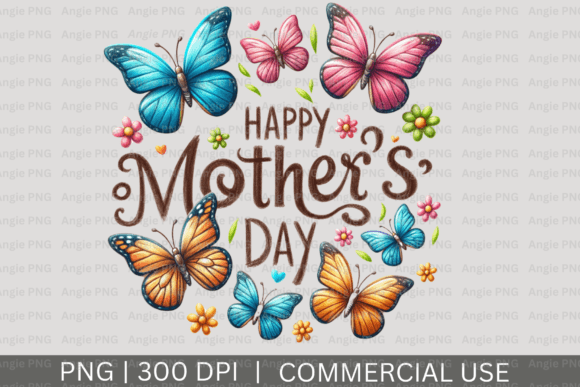
Happy Mother's Day PNG Clipart: A Practical Guide to Quality and Usage
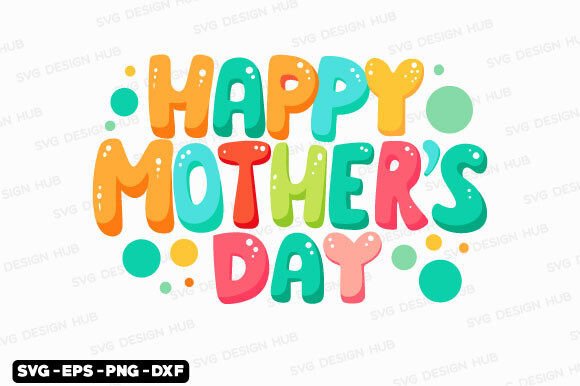
Finding the perfect visual element for a Mother’s Day project often leads creators, marketers, and hobbyists to search for Happy Mother's Day PNG clipart. These digital assets are invaluable because they offer transparent backgrounds, allowing for seamless integration into greeting cards, social media graphics, merchandise, and email newsletters. The appeal lies in their versatility; unlike JPEGs with white boxes around the subject, a true PNG file respects the negative space of your design. However, the abundance of available options can lead to hasty decisions that compromise the final quality of your work. Understanding the technical and legal nuances of these files is essential for anyone looking to create professional or meaningful content without encountering frustrating setbacks later in the process.
The Transparency Trap: Verifying True Alpha Channels
One of the most frequent issues designers face when downloading festive graphics is receiving a file labeled as a PNG that actually contains a white background. This usually happens when a JPEG is simply renamed or converted without properly removing the background pixels. When you place this faux-PNG onto a colored or textured background, an unsightly white box appears, ruining the aesthetic and requiring tedious manual editing to fix.
To avoid this, always inspect the file before committing it to your project. Open the clipart in your design software or even a basic image viewer and place a bright color layer behind it. If the edges look jagged or have a white halo, the transparency was likely automated poorly or not at all. High-quality Happy Mother's Day PNG clipart should have clean, anti-aliased edges that blend naturally against any backdrop. Taking ten seconds to verify this can save hours of masking work or the embarrassment of publishing a graphic with visible artifacts.
Resolution and Print Readiness
Another common oversight involves assuming that screen resolution is sufficient for all applications. Many free or low-cost clipart bundles are optimized for web use at 72 DPI (dots per inch). While these look crisp on a smartphone or laptop monitor, they will appear pixelated and blurry when printed on physical greeting cards, mugs, or t-shirts. For print projects, you generally need images that are 300 DPI at the intended physical size.
Before purchasing or downloading, check the actual pixel dimensions rather than just the file size. A 4-inch floral illustration needs to be at least 1200 pixels wide to print clearly. If you plan to scale up a small digital asset for a large format banner or poster, vector files (SVG/EPS) are superior to raster PNGs. Using undersized Happy Mother's Day PNG clipart for print products is a primary cause of wasted materials and unprofessional results. Always match the asset specifications to your output medium.
Navigating Licensing for Commercial and Personal Use
Misunderstanding licensing terms is perhaps the most significant risk when sourcing seasonal graphics. Just because a file is free to download does not mean it is free to use in every context. Many creators inadvertently violate copyright by using "personal use only" clipart for business purposes, such as selling print-on-demand merchandise, creating client branding, or monetizing blog posts. Conversely, some users overpay for extended commercial licenses when a standard license would suffice for internal office decorations or personal family cards.
Read the license agreement explicitly. Look for specific clauses regarding:
- End Product Limits: Some licenses cap the number of units you can sell (e.g., up to 500 prints).
- Digital Distribution: You typically cannot resell or redistribute the raw PNG file itself; it must be incorporated into a new, flattened design.
- Attribution Requirements: Free resources often require credit, whereas paid premium assets usually waive this obligation.
- Trademark Restrictions: Even with a commercial license, you generally cannot trademark a logo containing stock clipart, as others may license the same image.
Clarifying these terms upfront protects your business from legal disputes and ensures you are fairly compensating the original artists. If the licensing language is vague or missing, treat the asset as unsafe for commercial application and seek an alternative source with clear documentation.
Aesthetic Consistency and Style Matching
Beyond technical specs and legalities, a subtle mistake that degrades design quality is mixing incompatible artistic styles. Happy Mother's Day PNG clipart ranges from watercolor florals and vintage engravings to flat vector cartoons and realistic photography. Combining a hand-painted watercolor bouquet with a sharp, neon-colored typographic element often creates visual dissonance that confuses the viewer and weakens the emotional impact of the message.
When curating assets for a single project or campaign, establish a cohesive style guide first. If you choose soft, pastel watercolors for a bakery’s Mother’s Day promotion, ensure all accompanying icons, borders, and illustrations share that same texture and color palette. Consistency signals professionalism and intentionality. If you find yourself trying to force mismatched elements to work together through excessive filtering or color grading, it is usually more efficient to find a unified clipart bundle designed by a single artist or studio. Cohesive visuals communicate care and attention to detail, which aligns perfectly with the sentiment of the holiday.
Optimizing File Management and Workflow Efficiency
Efficiency matters, especially when working against seasonal deadlines. A practical error many users make is failing to organize and rename downloaded files immediately. Ending up with folders full of generic names like "image_001.png" or "mom_clipart_final_v2.png" wastes valuable time during the design phase. Additionally, keeping massive, unoptimized PNGs in active design files can slow down software performance significantly.
Adopt a systematic approach to asset management. Rename files descriptively upon download (e.g., "MothersDay_PinkPeony_Watercolor_300dpi.png"). Create dedicated project folders rather than dumping everything into a general "Downloads" directory. For web-based projects, compress your PNGs using lossless optimization tools to reduce load times without sacrificing transparency or quality. Large, uncompressed Happy Mother's Day PNG clipart can negatively affect website speed and user experience, potentially hurting SEO rankings and engagement rates. Balancing visual fidelity with file size is a skill that improves both workflow and end-user satisfaction.
Evaluating Source Credibility and Safety
Finally, consider where you are obtaining your graphics. Unverified websites offering "free premium" clipart often host stolen content or files embedded with malware. Using pirated assets not only exposes your device to security risks but also supports unethical practices that harm legitimate designers. Furthermore, stolen assets are frequently stripped of metadata and may be low-resolution copies of the originals.
Prioritize reputable marketplaces, established designer portfolios, and legitimate creative subscription services. These platforms vet contributors, provide accurate licensing information, and offer customer support if a file is defective. Reading user reviews can also reveal hidden issues like poor cropping or misleading previews. Investing in legitimate sources ensures you receive high-quality, safe, and ethically sourced Happy Mother's Day PNG clipart. This peace of mind allows you to focus entirely on creating beautiful, heartfelt content for the occasion, knowing your foundation is solid and secure.